




Follow these easy steps to re-transmit and activate existing Product Certificates and SONCAP certificates.
Need some information on how to use the Nigeria Certificate Activation platform? Please read on.
Step 1
Go to https://soncap.son.gov.ng/certificateActivation/webform
Step 2
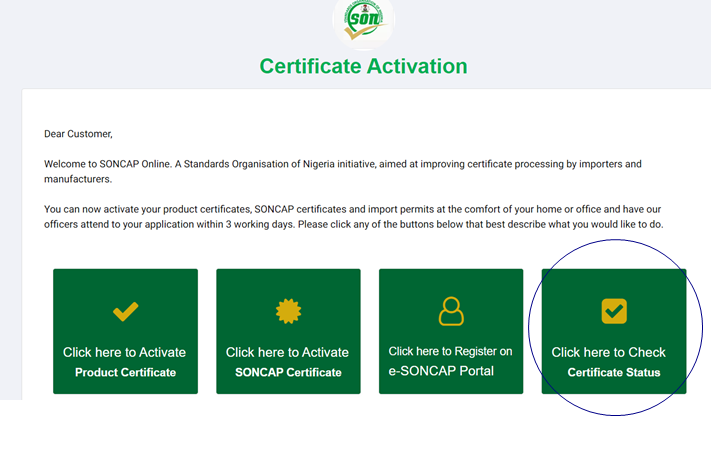
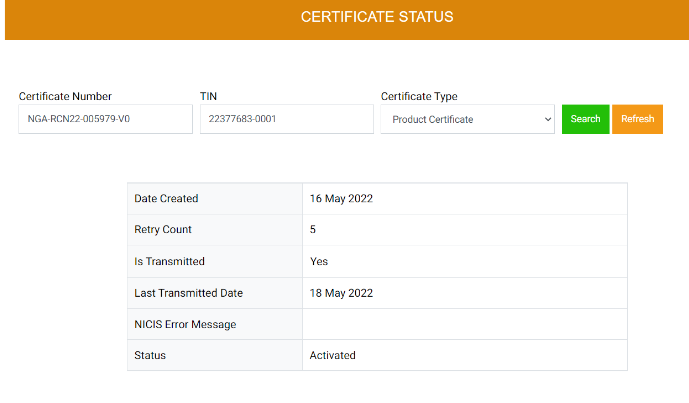
Click on Certificate Status
Step 3
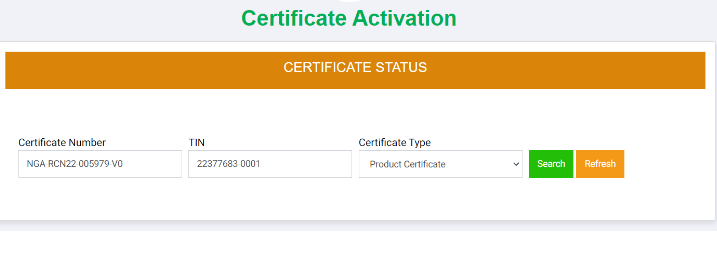
Enter certificate number and TIN number and select the certificate type (PC) in this case
Step 4
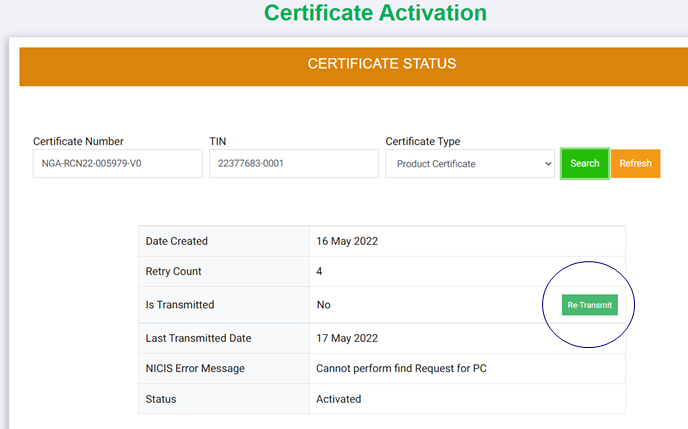
The PC is activated but not transmitted to NICIS, click on the Re-transmit button
Step 5
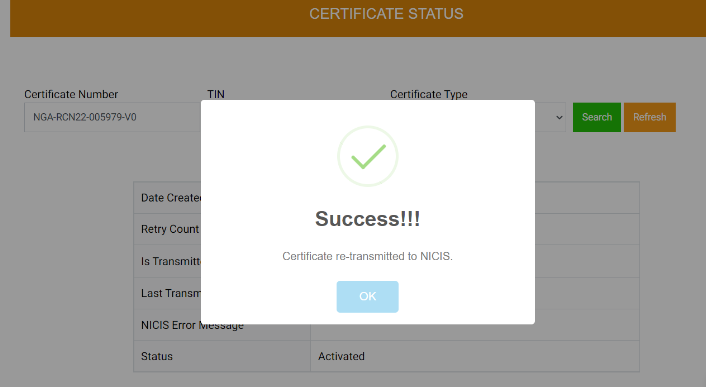
Certificate is re-transmitted successfully with the feedback received.
Step 6
Certificate successfully re-transmitted.
For more information on this process or the SONCAP general process, don’t hesitate to contact us.
About Cotecna
For over 50 years, we have been supporting agriculture, food and pharma, minerals and metals, and consumer products supply chains all over the world. We provide testing, inspection, and certification services to help our clients navigate evolving regulations, ensure product compliance, and support their sustainability journey.